What our partners say about us
You are likely to be 100% satisfied with the work, with a score of 5.0 being our average.
There are several types of mobile applications, each with different technologies, capabilities, and development approaches. Choosing the right type depends on business goals, budget, and product requirements.
In this article, we share key insights and knowledge gained during the presentation on the topic “Types of Mobile Applications: Features & Differences”
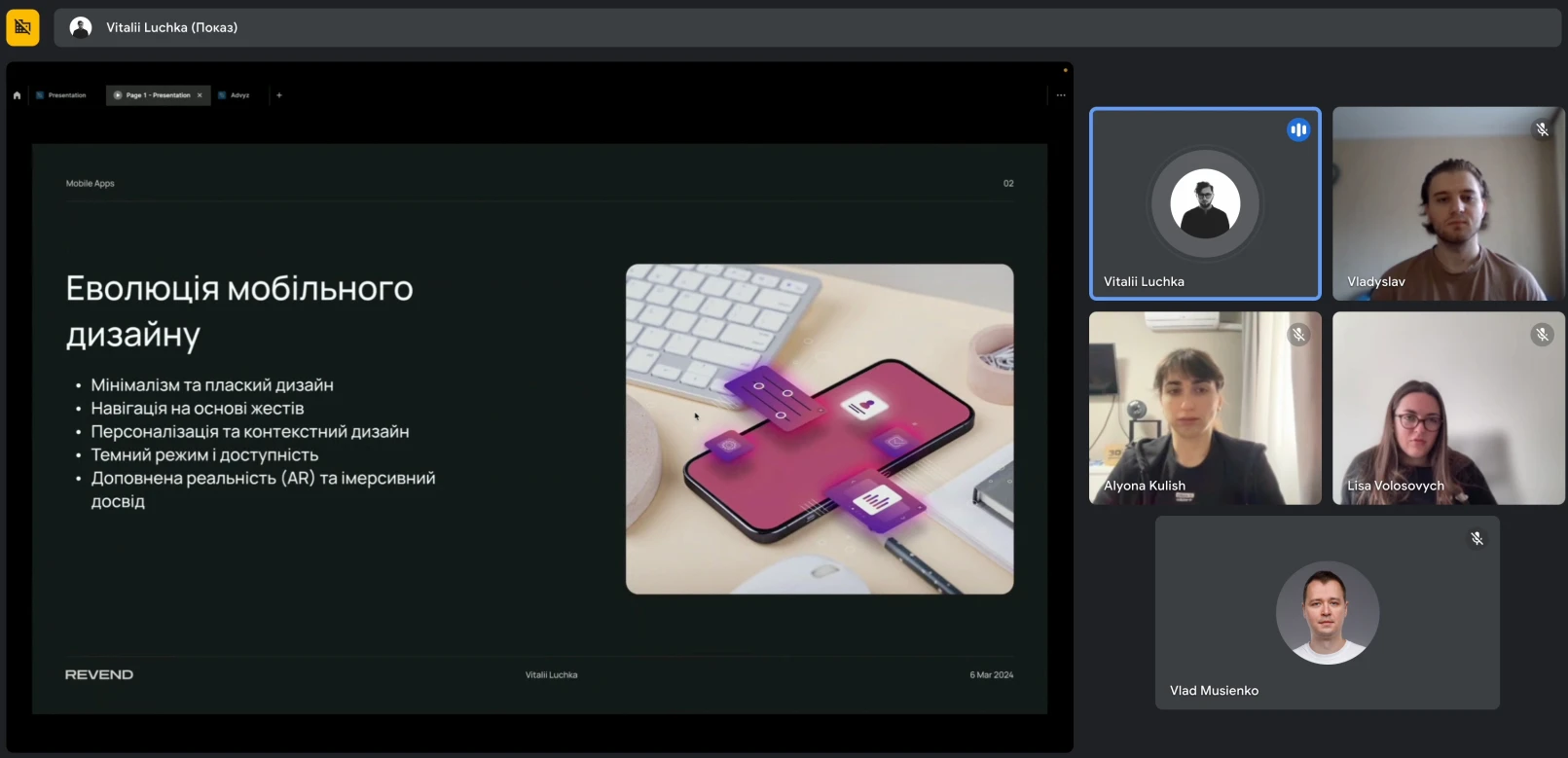
Mobile applications are programs designed for use on mobile devices such as smartphones and tablets. They simplify the execution of various tasks and provide access to services and information on the go. These include social networks, games, shopping, productivity tools, health and fitness apps, education, and navigation.
They are used in everyday life for communication, entertainment, and shopping; at work to increase productivity and organize tasks; in education to access learning resources; and while traveling for navigation and location search.
All these applications are developed, designed, and implemented by professionals. We gathered for the presentation to discuss the types of applications and the specifics of their creation depending on their purpose and platform.
The past decade has been marked by the rapid development of minimalism and flat design. This design concept emphasizes simplicity, clean lines, and a focus on key elements. Thanks to systems such as Apple’s iOS and Google’s Material Design, this approach has become widely accepted, simplifying interfaces and making navigation more intuitive for users.
With the spread of smartphones focused on touch interaction, gesture-based navigation has become an integral part of modern interfaces. Swiping, pinching, and tapping have replaced traditional buttons, providing a more natural and intuitive way to interact with applications. This trend has contributed to a smooth and engaging user experience by reducing unnecessary interface elements and enhancing the user’s sense of control.
Microinteractions are small animations or feedback loops that provide users with instant responses to their actions. These elements make the user experience more responsive and engaging. Whether it is a button changing color when pressed or a loading indicator showing progress, microinteractions play an important role. Modern mobile applications actively use microinteractions to create memorable experiences, increase user engagement, and improve overall satisfaction.
Modern mobile applications increasingly use user data to deliver personalized experiences. Contextual design takes into account user behavior, preferences, and location to offer tailored content and interactions. For example, weather applications display local forecasts, while e-commerce platforms recommend products based on a user’s browsing history. This approach increases engagement and user loyalty by making applications more adaptive to individual needs.
Dark mode has gained popularity not only for its elegant aesthetics but also for its accessibility benefits. Dark interfaces are more comfortable for the eyes in low-light environments and help conserve battery life on OLED screens.
Modern designers increasingly integrate dark mode into their UI/UX strategies to accommodate different user preferences and usage scenarios. Vitalii emphasized that dark mode is now considered an essential part of the design process, aimed at ensuring user comfort and efficiency.
As AR technology continues to evolve, mobile application developers are actively exploring ways to integrate augmented reality into their interfaces. AR opens new possibilities for interactive overlays, spatial interaction, and immersive experiences by blending digital and physical worlds. From AR filters in social media applications to navigation assistants, this trend is pushing the boundaries of mobile UI/UX design.
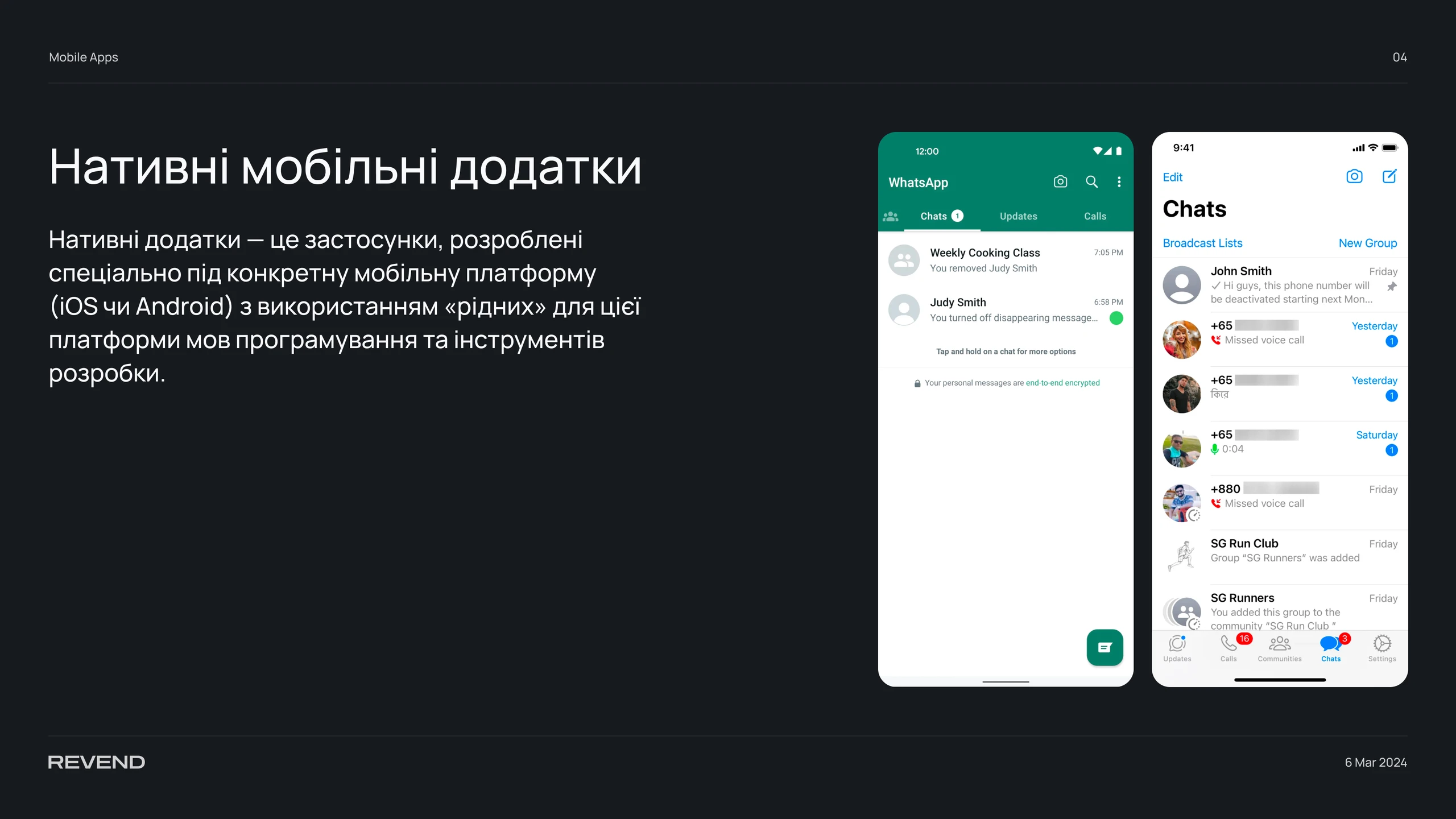
Native applications are apps developed specifically for a particular mobile platform (iOS or Android) using the platform’s native programming languages and development tools. For iOS development, languages such as Swift or Objective-C are used along with Apple’s development tools like Xcode. The iOS development process typically requires a computer running macOS. Using an unofficial Hackintosh OS is possible, but it is not always an optimal solution and cannot be installed on every PC.
Android application development involves using programming languages such as Java or Kotlin and development tools like Android Studio. The Android development process is generally less demanding than iOS, although it has its own specifics.
Our team conducted a detailed analysis of the advantages of native applications. Given the significant differences between hybrid and native solutions, it is possible to highlight both the key strengths and certain drawbacks of native apps. If you need a fast, reliable, stable, and secure application, a native solution may be the ideal choice for many reasons.
Native applications are easier to learn and use because they follow platform-specific design and interface standards. Users immediately understand how to interact with such apps, as they resemble other applications on their devices. Native apps also provide better compatibility with different screen sizes and orientations, enhancing overall usability.
Native applications run fast and reliably because they are optimized for a specific operating system and use native programming languages such as Swift for iOS or Java for Android. In addition, native apps can store data locally on the device, reducing dependence on an internet connection and improving overall performance.
Native applications offer a higher level of security, as they undergo strict quality and compliance checks before being published in official app stores such as the App Store or Google Play. They also use built-in security mechanisms, including biometric authentication, data encryption, and SSL certificates, providing an additional layer of protection for users.
Native applications integrate seamlessly with other apps and device features such as the camera, microphone, GPS, contacts, calendar, notifications, and more. This enables a richer and more convenient user experience while fully leveraging device capabilities.
When comparing native applications with hybrid alternatives, it is important to consider their drawbacks, which may influence the choice of development approach.
Native application development requires significant investments of time, resources, and money, as separate versions must be created for each platform. This also requires developers with specific expertise in native programming languages. Additionally, the review process before publication—especially in the App Store—can be lengthy and strict.
Native applications require regular updates to maintain functionality and compatibility with new OS versions and devices. The update process depends on app store approval and may take considerable time. Users may also delay updates, which complicates maintenance. Bug fixes and ongoing support require more effort due to multiple app versions.
Native applications cannot run on platforms other than those they were developed for. To reach a broader audience, a new version must be built for another platform, requiring substantial time and financial investment. Native apps also cannot benefit from web technologies such as SEO, SSO, or traditional online analytics.

Hybrid applications are unique because they are built using the same technologies as websites, such as HTML, CSS, and JavaScript. They combine elements of both native and web applications. This flexibility gives hybrid apps both advantages and disadvantages.
One of the biggest advantages of hybrid applications is their ability to run on multiple platforms such as iOS, Android, Windows, as well as web and desktop versions. This allows businesses to reach a wider audience and provide a consistent user experience across devices.
Hybrid app development is significantly faster and more cost-effective than native development because the same codebase can be used across multiple platforms. This reduces development costs and simplifies maintenance and updates.
Hybrid application updates can be implemented faster and more easily, as code changes apply simultaneously to all platforms. This enables quick responses to user feedback and continuous product improvement.
Hybrid applications require less development time because they rely on a single codebase. Developers do not need to know native programming languages and can use common web technologies such as HTML, CSS, and JavaScript. Frameworks like React Native, Flutter, Ionic, and others significantly accelerate development and time-to-market.
Hybrid applications are less expensive than native ones because they require fewer resources and developers. A single codebase reduces testing and maintenance costs, and hybrid apps are not subject to the same strict review processes in app stores as native applications.
Hybrid applications are easy to maintain, as updates are made to a single codebase. They do not depend on app store approval and can be deployed automatically over the internet, ensuring rapid delivery of updates and new features.

Hybrid applications are often an optimal solution, especially with limited budgets and the need for fast market entry. However, their drawbacks should also be considered.
Hybrid applications typically run slower and are less stable than native ones because they operate within a native container that emulates a web browser. They also depend heavily on internet connectivity, which can cause delays and reduced performance.
Hybrid applications have restricted access to device hardware and system features compared to native apps. While plugins can extend functionality, they may introduce compatibility and security issues.
Supporting older OS versions and devices requires additional effort because web technologies may not be fully compatible. This can lead to stability and performance issues on older devices.
Hybrid applications use a single interface across platforms and cannot fully adapt to platform-specific behaviors. They cannot fully leverage native features such as animations, gestures, and graphics, which may cause discomfort for users accustomed to native interfaces.
Both Apple and Google place great emphasis on the visual quality of applications in their app stores and provide detailed design documentation. The rule set for iOS is called “Human Interface Guidelines,” while Android follows the principles of “Material Design.” These resources are publicly available and allow designers to create applications that meet platform quality standards.
It is easier and faster to study these guidelines in advance to save time and money throughout the entire application development process.
Below, we explain the core principles of these two design systems. Knowing them does not mean you must create separate apps for iOS and Android, but it will help you design more intuitive interfaces for both platforms.

All templates automatically appear in Figma with each new iOS update and are available to all designers. iOS developers are expected to use these templates to ensure better user experience and smoother app publication. Some reviewers compare applications directly with official UI guidelines.
That is why it is better to use free templates during development rather than searching for them after an app is rejected.

Material Design guidelines emerged from Google’s effort to unify its products. Work on these guidelines began in 2011 and was completed in 2014. The essence of Android app design lies in combining skeuomorphism with flat design, enabling depth and interactivity through motion in a flat environment.
Adhering to these principles allows designers to create intuitive and functional applications that meet user expectations on each platform.

From a UI perspective, each platform has unique elements that users are accustomed to. This is why understanding Human Interface Guidelines and Material Design helps designers better interpret user behavior. By respecting these differences, you create applications that align with user habits, are easy to use, and are developer-friendly.
We hope this presentation was informative and helped you better understand the differences between mobile application types.
If you have any further questions or need consultation, feel free to contact us.
We strive to be not only a source of information but also your reliable partner in the world of design and technology. Our team is ready to help you bring your ideas to life, grow your projects, and achieve great success together.
Thank you for your attention, and see you again!